Stage 1 of 4
The pin: the capture is on the map before verification
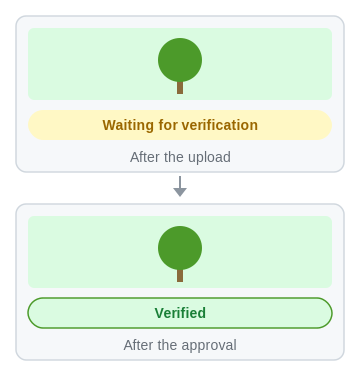
When the field data service stores the capture (chapter 1, stage 4), the database also keeps an older tree record of it. This record is “active” at once. It is not “approved” yet.
The map is a set of small square images, the tiles. The browser asks the tile server for each tile. The mark “active” shows a capture on the map. So close up, the new capture is a pin at once, before an admin verifies it.
Greenstand’s product page says that the web map shows verified trees. Today, the map shows each active capture, also before verification.
For developers
The repo, the file, and the lines at the commit that this page describes.
treetracker-field-data(viewer, onboarding guide)legacy-table-creation.jslines 5 to 25: the older trees table gives a new record “active” by default (the test copy of the table)
treetracker-database(no guide in these docs)20190511003640-AddApprovedToTrees.jslines 18 to 22: a new tree record is not approved
treetracker-web-map-core(no guide in these docs)Map.jslines 259 to 262: the map asks for the tiles
greenstand-documentation(no guide in these docs)products.mdline 18: the product page says “verified trees”
treetracker-tile-server(viewer, onboarding guide): draws the tiles of the map from the database